
WinShades applies customizable colour overlays and letterbox reading rulers to any window or your entire screen — designed for dyslexia, visual stress, and eye strain.
Get it from the Microsoft StoreMany people with dyslexia or visual stress find that text appears to blur, shift, or flicker on screen. Coloured overlays reduce glare, increase contrast, and create a more stable reading environment — helping to improve focus, reduce eye strain, and make reading more comfortable.
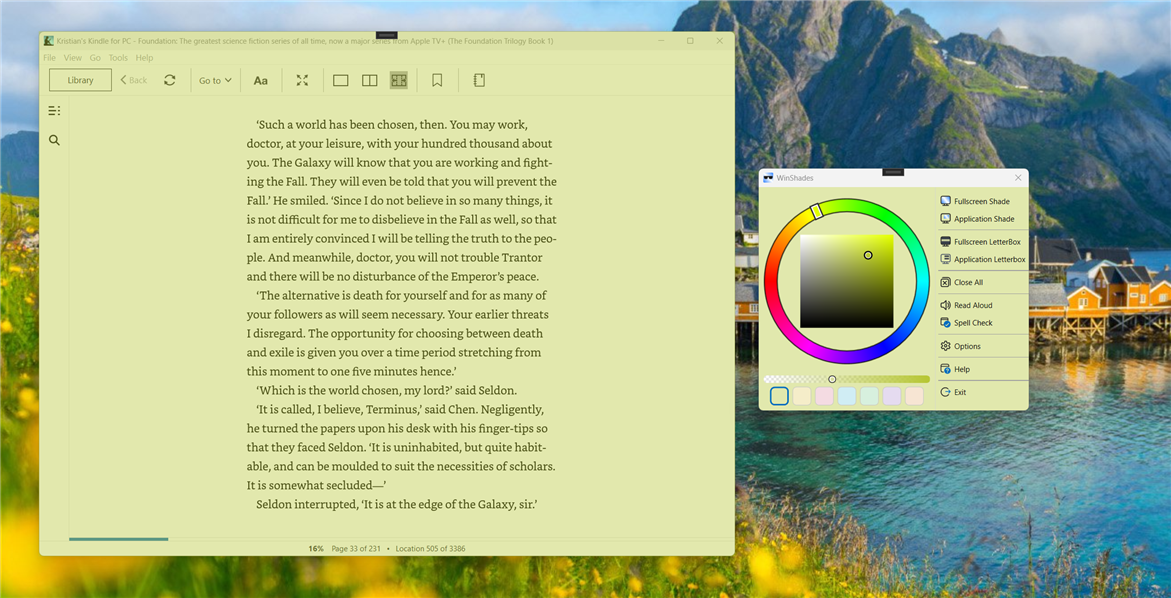
Applies a coloured overlay across the entire screen to reduce glare and visual stress while reading.
Applies a coloured overlay to a specific application window — ideal for tinting a browser, document viewer, or e‑reader.
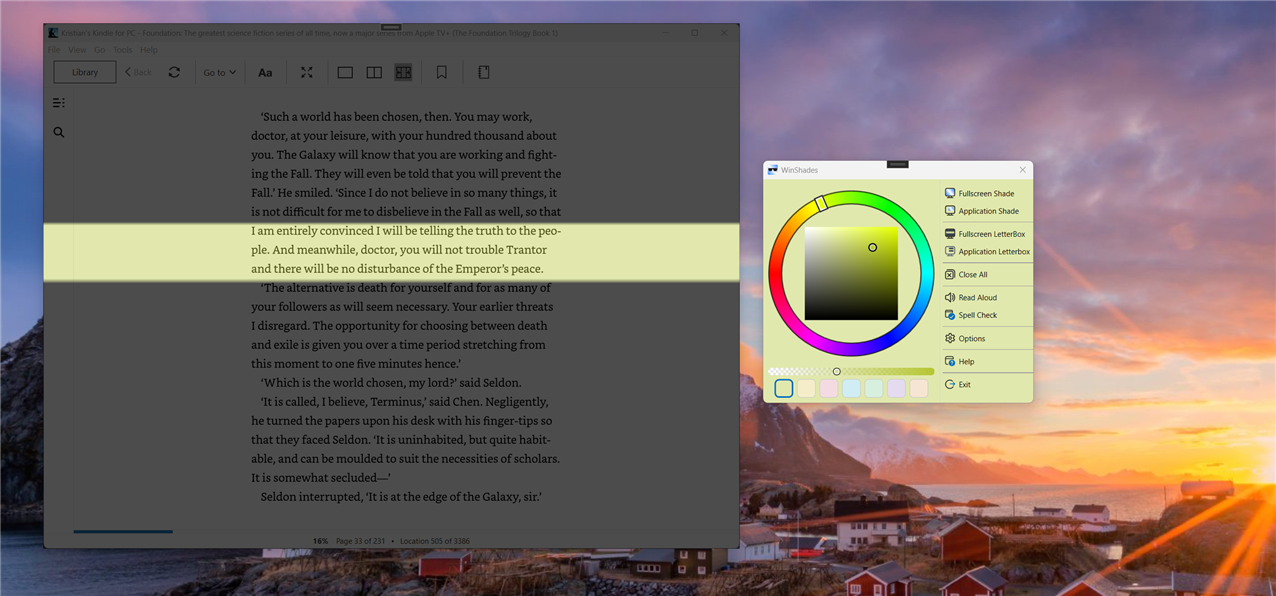
Places horizontal bars across the entire screen, acting like a reading ruler to help you track lines of text.
Adds reading-ruler bars to a specific application window. Drag the bars to adjust the visible reading strip.
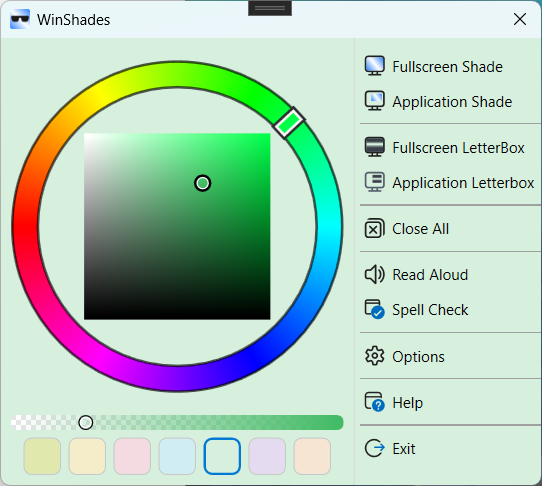
Fine-tune your overlay colour and opacity. Seven preset colour boxes let you switch instantly between saved colours.
Select text in any application and have it read back to you — helpful when reading becomes tiring.
Select text in any application and check for spelling errors. Misspelled words are underlined — right-click for suggestions.
Speak into your microphone and have your words converted to text. Edit the result, then copy it to the clipboard to paste anywhere.
Full keyboard navigation and screen reader support. High contrast and DPI-aware for accessibility compliance.
Pre-loaded as presets — try them as starting points and adjust to find what works best for you.
Available on the Microsoft Store with a 7-day free trial. Requires Windows 10 version 1904.1 or later.
Download from Microsoft Store